









































































































































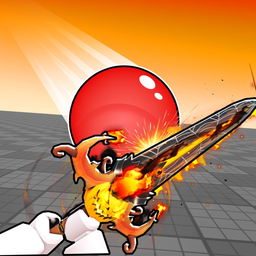
Anime Fighting Simulator Codes (September 2026) — All Codes in Review
Seventy-nine dead strings and a game relaunched three months earlier. September shows how this list actually works.
Working Codes Right Now
Last verified:
Synced live from our codes page — copy and redeem in-game. Expired codes are not listed here.
-
BLEACHEXPANSION
1,000 Tensei Shards + 2,000 Chikara + 5 Limbo Keys
Active · Last verified 2026-10-22
-
MAINTENANCE
5,000 Chikara + 2,500 Tensei Shards + 3 Upper One Keys
Active · Last verified 2026-10-22
-
THEBEGINNING
5,000 Chikara + 1,500 Tensei Shards + 5 Stat Boosts
Active · Last verified 2026-10-22
-
HELLOWORLD
1 Limit Break Vial + 5 Training Speed Boosts + 3 Stat Boosts
Active · Last verified 2026-10-22
-
BEGINNERLUCK
5 Fruit Rolls + 5 Champion Luck Potions
Active · Last verified 2026-10-22
-
UPDATE11
2,000 Clover Tokens + 50,000 Chikara + 3 Clover Boxes
Active · Last verified 2026-10-22
-
HALLOWEEN
5 Trick or Treat Bags + 1,000 Candy + 2,500 Tensei Shards
Active · Last verified 2026-10-22
-
100KCOMMUNITYMEMBERS
5,000 Chikara + 2,500 Tensei Shards + 3 Stat Boosts
Worth a try · Last verified 2026-10-19
Anime Fighting Simulator Codes (September 2026) — All Codes in Review
This game was rebuilt and relaunched on 13 June 2026 as the UPDATE 12 branch, which makes September its first full quarter. That context matters, because it explains the shape of the code list.
A wave system, not a calendar
Codes here arrive with a cause: a patch, a shutdown apology, a member milestone. There is no monthly schedule, so a quiet month is normal and does not mean codes stopped.
By the public record, September sat between update pushes. The trackers we follow carried earlier strings plus the ones tied to the update that preceded it.
Seventy-nine dead strings
That number is the real story. Each wave retires the previous batch, so the expired column grows while the live list stays at a handful. If you are reading a list with thirty “working” codes, it is stale.
What to do
Check the date, redeem quickly, and remember the field lives in the Shop menu’s Codes tab — not in settings. Most “dead code” reports are one of those two mistakes.
Redeem in 30 seconds
- 1Launch Anime Fighting Simulator and let the hub load fully.
- 2Click the Shop icon on the left side of the screen.
- 3Switch to the Codes tab at the far end of the shop's top bar.