



























































































































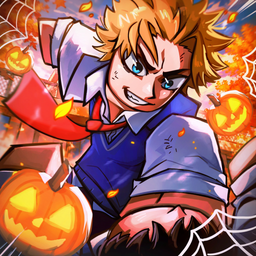



How to Redeem Anime Fighting Simulator Codes
Anime Fighting Simulator pays out Chikara, Tensei Shards and boosts rather than cosmetics, and the codes come in waves: an update lands, three or four strings appear, then they start dying. The current batch is unusually large because UPDATE 12 shipped alongside a Halloween event and a member milestone.
Where is the redeem button?
Open the Shop from the basket icon on the left rail, then pick the Codes tab at the end of the top bar. One text box, one Redeem button — no group membership or social task required.
Full step-by-step guide
- 1 Launch Anime Fighting Simulator and let the hub load fully.
- 2 Click the Shop icon on the left side of the screen.
- 3 Switch to the Codes tab at the far end of the shop's top bar.
- 4 Copy a code from our list with one click — these strings are case-sensitive and mostly single words.
- 5 Paste into the Enter Code Here field and press Redeem.
- 6 Spend the boosts during an active grind session rather than idling; a training boost burned while AFK is wasted.
Steps verified against the current game version. If the UI changes after an update, we refresh this guide.
Codes not working? Try these fixes
q
a
q
a
q
a
How do I redeem Anime Fighting Simulator codes?
Launch Anime Fighting Simulator on Roblox, open the codes/rewards menu, paste the code exactly as copied (case-sensitive) and submit. Rewards land instantly — the guide below walks through every step.
Where is the redeem button in Anime Fighting Simulator?
The codes/rewards button is usually on the side of the main screen or inside the settings menu. If an update moves it, we refresh this guide.
Why is my Anime Fighting Simulator code not working?
Most rejections mean the code expired or was mistyped. Codes are case-sensitive and may contain punctuation — paste instead of typing, and check the code detail page for its verified status.
Do Anime Fighting Simulator codes expire?
Yes. Official codes usually carry an expiry or usage cap and can be retired at any update. Every code on this site shows its last-verified date — confirm it is Active before redeeming.
Can I redeem Anime Fighting Simulator codes on mobile?
Yes. Roblox mobile and PC share the same account, so the steps are identical — copy the code here, switch to the game and paste it in the rewards menu.
How do I fix an "invalid code" error in Anime Fighting Simulator?
Confirm the code has not expired, remove any stray spaces, and check whether your account already redeemed it. Codes marked "Worth a try" have conflicting reports — pasting them costs nothing.
q
a
q
a
q
a